You know that moment when you realize sharing a family plan was a terrible idea? Maybe it started with someone hogging all the data, or perhaps the “plan manager” decided to change carriers without asking. Now you’re stuck in group chat arguments about phone bills while secretly googling “how to leave a family plan without drama.”
Here’s the thing: you don’t have to stay trapped in someone else’s phone plan just because you’re scared of losing your number or dealing with paperwork. Whether it’s family drama, control issues, or just wanting your own space, breaking free from a shared plan is easier than you think.
The Real Cost of Staying on Someone Else’s Plan
Family plans look great on paper. Everyone saves money, right? But the hidden costs go way beyond dollars:
You lose control over your service. Want to upgrade your plan? Too bad, the account holder decides. Need customer service help? You can’t even call them directly because you’re not the “primary account holder.”
Your usage affects everyone else. Go over your data limit, and suddenly you’re the villain in the group chat. Meanwhile, someone else’s international calling spree is jacking up the bill for everyone.
Money drama gets messy fast. Who pays when someone’s late? What happens when the account holder graduates or moves away? These conversations never get easier.
👉 Ready to take control? Get your Panda Mobile plan here and start saving immediately.
When It’s Time to Make Your Exit
Some red flags mean it’s definitely time to get your own plan:
- The account holder keeps “forgetting” to pay the bill
- You’re constantly arguing about data usage or overage charges
- Someone threatens to cancel your line during an argument
- You want features or international calling that others don’t need
- The account holder is moving or changing schools
- You’re tired of asking permission to make changes to your own service
Step-by-Step: How to Leave Without Losing Your Number
The process is simpler than you think, especially with Panda Mobile’s no-hassle setup:
Step 1: Get Your Account Information
Before you do anything, you’ll need these details from the current plan:
- Your phone number
- Account number
- Account PIN or password
- Name of the current carrier
Ask the account holder for this info. If they’re being difficult, you can usually find the account number on any recent bill.
Step 2: Choose Your New Plan
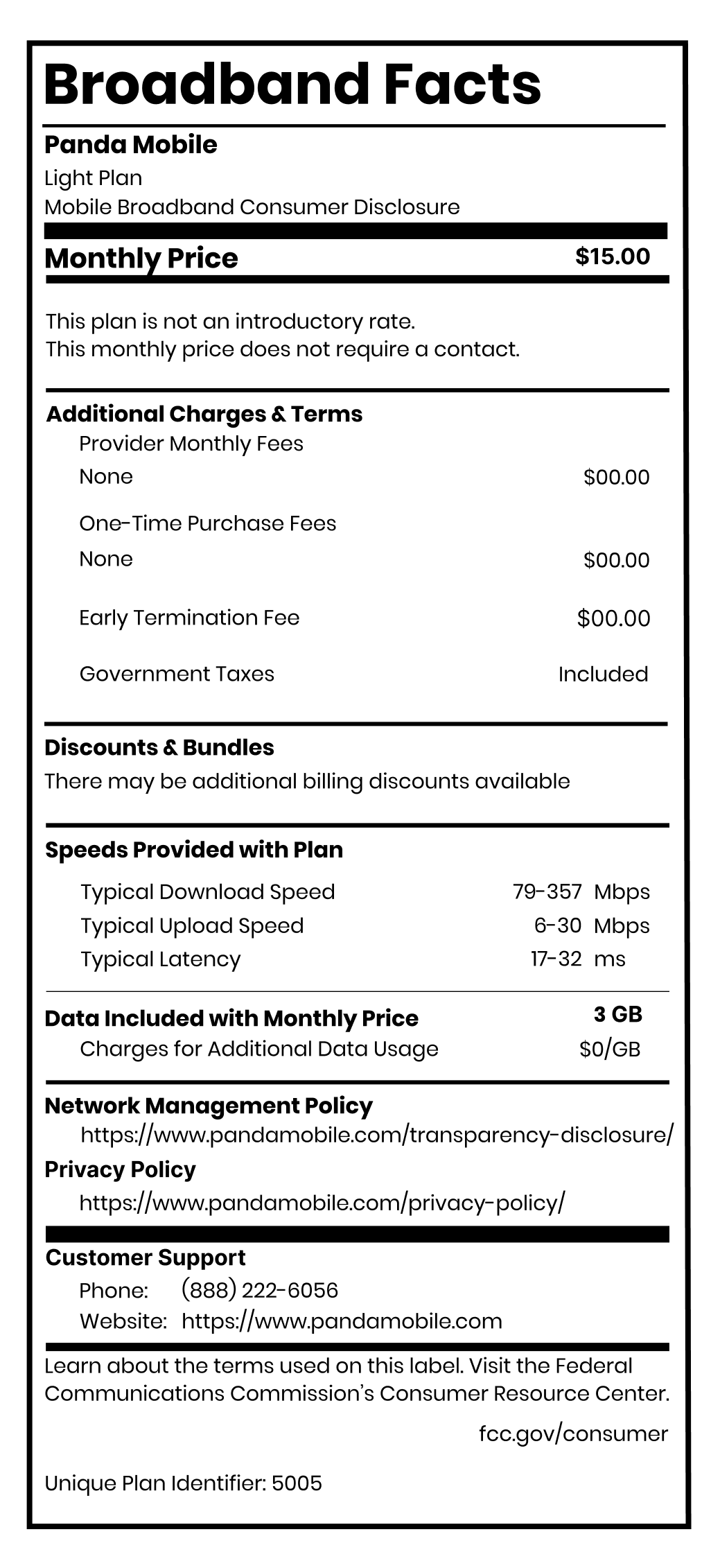
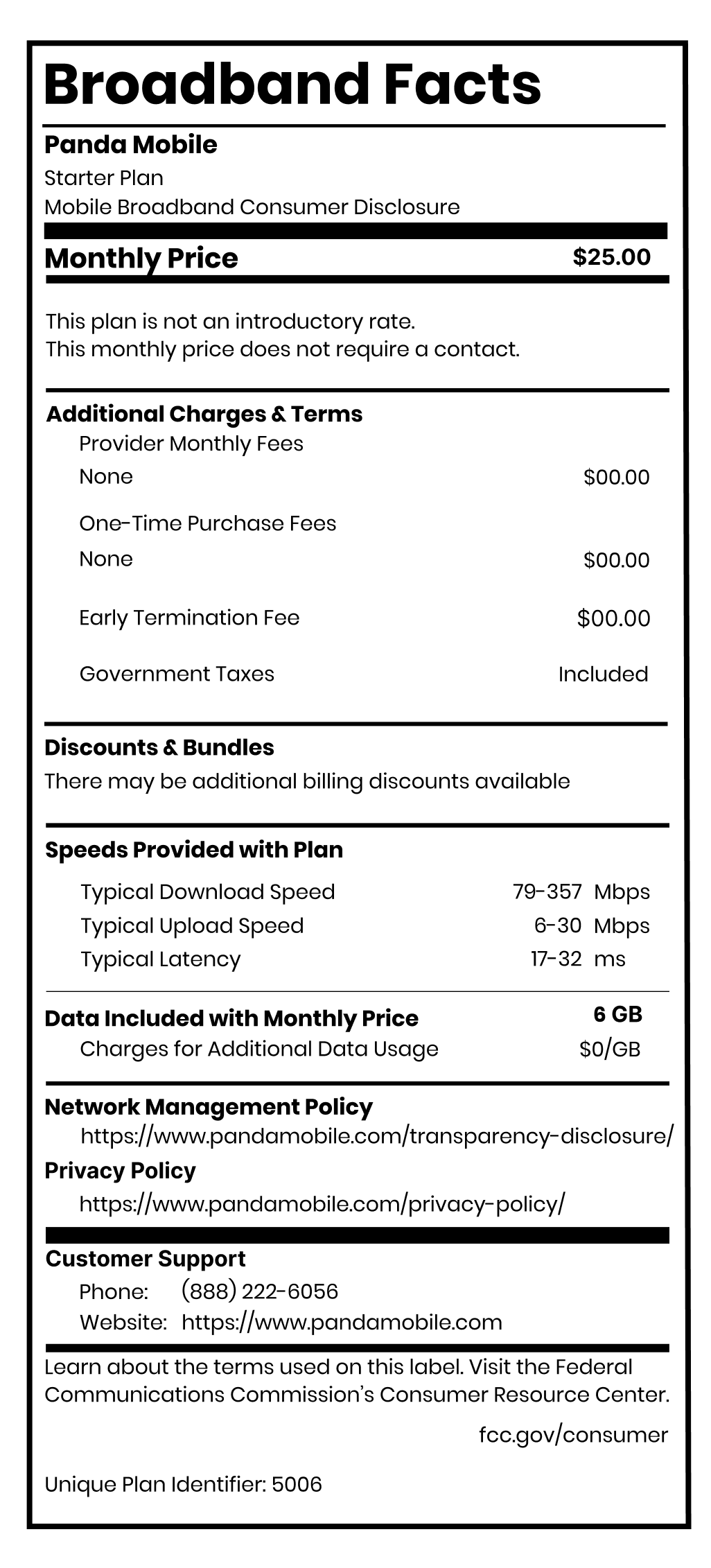
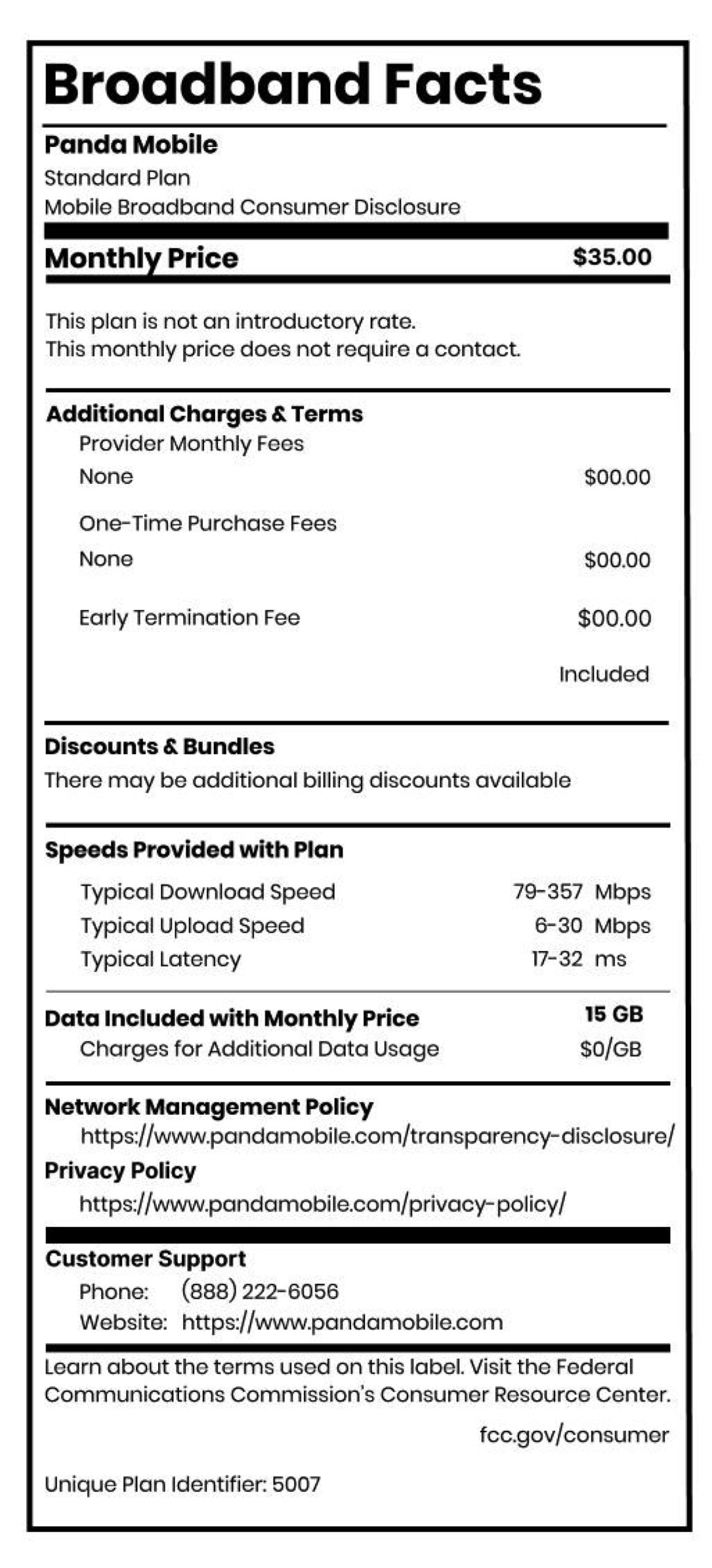
With Panda Mobile, you can skip the stress of complicated plan comparisons. Start at just $12.50/month for your first two months, then choose from simple $25, $35, or $45 options based on your actual needs.
Step 3: Start the Porting Process
When you sign up for Panda Mobile, just indicate you want to port your existing number. Panda handles all the paperwork with your old carrier. No phone calls, no waiting on hold, no drama.
Step 4: Keep Using Your Phone Normally
Your current service stays active during the port. Once Panda completes the transfer (usually within 24 hours), your old line automatically cancels and your new service kicks in.
Step 5: Enjoy Your Freedom
Your number stays the same, but now you control everything: when you pay, what features you add, and whether you want to pause service during breaks.
The Panda Mobile Advantage: Built for Independence
Unlike family plans that lock you into group decisions, Panda Mobile gives you complete control:
No contracts, no drama. Month-to-month plans mean you can change or cancel anytime without penalties or group discussions.
Your usage is your business. Want to add international calling to China? Go for it. Need more data? Upgrade instantly without asking anyone.
Pause when you need to. Going home for winter break? Pause your plan for free and keep your number. Try doing that on a family plan.
Direct customer support. When you need help, you talk directly to Panda’s bilingual support team via WeChat. No more playing telephone through the account holder.
Built-in international features. Free calls and texts to 229 countries, plus 5GB roaming data in China. Perfect for international students who need reliable global connectivity.
👉 Stop letting others control your phone service. Get your Panda Mobile plan here and start saving immediately.
What About the “Savings” from Family Plans?
Yes, family plans can be cheaper per line, but only if everyone actually uses their service equally and nobody causes problems. In reality:
- Hidden costs add up fast. Overage fees, insurance, and premium features often cost more than individual plans.
- You pay for features you don’t need. Why pay for five unlimited lines when you only use 10GB?
- Shared responsibility creates stress. Late payments, plan changes, and usage disputes aren’t worth the few dollars you might save.
With Panda Mobile starting at $12.50/month, you’re often paying the same or less than your share of a family plan, but with complete control.
Take Control of Your Phone Service Today
You deserve a phone plan that works for your life, not someone else’s agenda. Whether you’re dealing with roommate drama, family control issues, or just want the freedom to make your own choices, switching to your own plan is easier than you think.
With Panda Mobile, you get:
- Complete control over your service and billing
- No contracts or long-term commitments
- Free international calling and roaming features
- Bilingual customer support when you need help
- The ability to pause and resume service on your schedule
Your number stays the same, but everything else gets better. Welcome to phone service independence.
👉 Take control of your phone service. Get your Panda Mobile plan here and start saving immediately.