Let’s face it: monthly phone bills have a way of sneaking up on you. Between “unlimited” data plans, hidden fees, and upgrade payments, your wireless bill can feel like a second rent.
The good news is, it doesn’t have to be this way. Whether you’re a student, a working professional, or part of a Chinese family living in the U.S., here are 6 practical ways to lower your cell phone bill, and how Panda Mobile helps you save even more.
1️⃣ Stop Paying for Data You Don’t Use
Here’s a secret most big carriers won’t tell you: the average American uses only 5–6GB of mobile data per month. Yet millions of people still pay for expensive “unlimited” plans that cost twice as much.
If you’re mostly on Wi-Fi or use your phone for messaging, streaming, and navigation, you’re likely overpaying.
Panda Mobile’s solution:
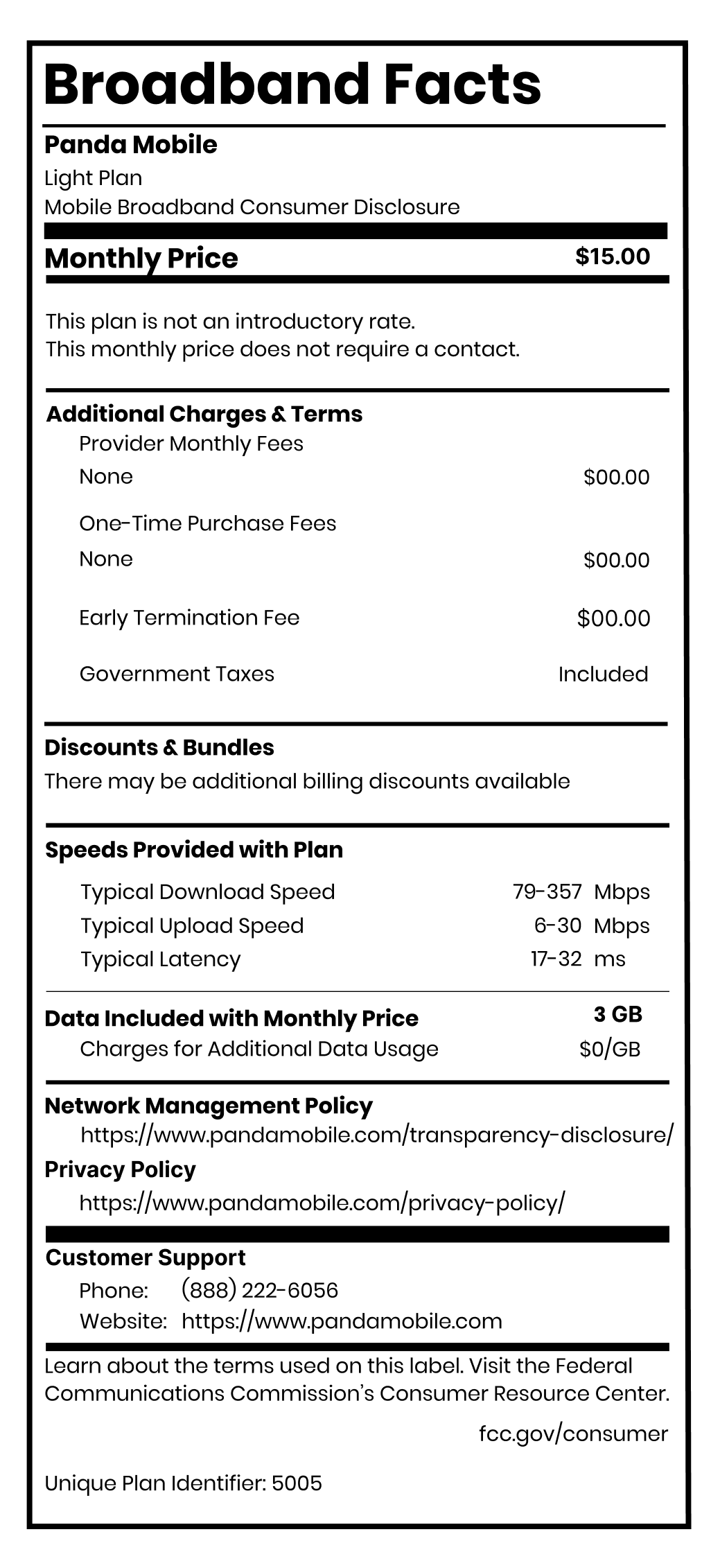
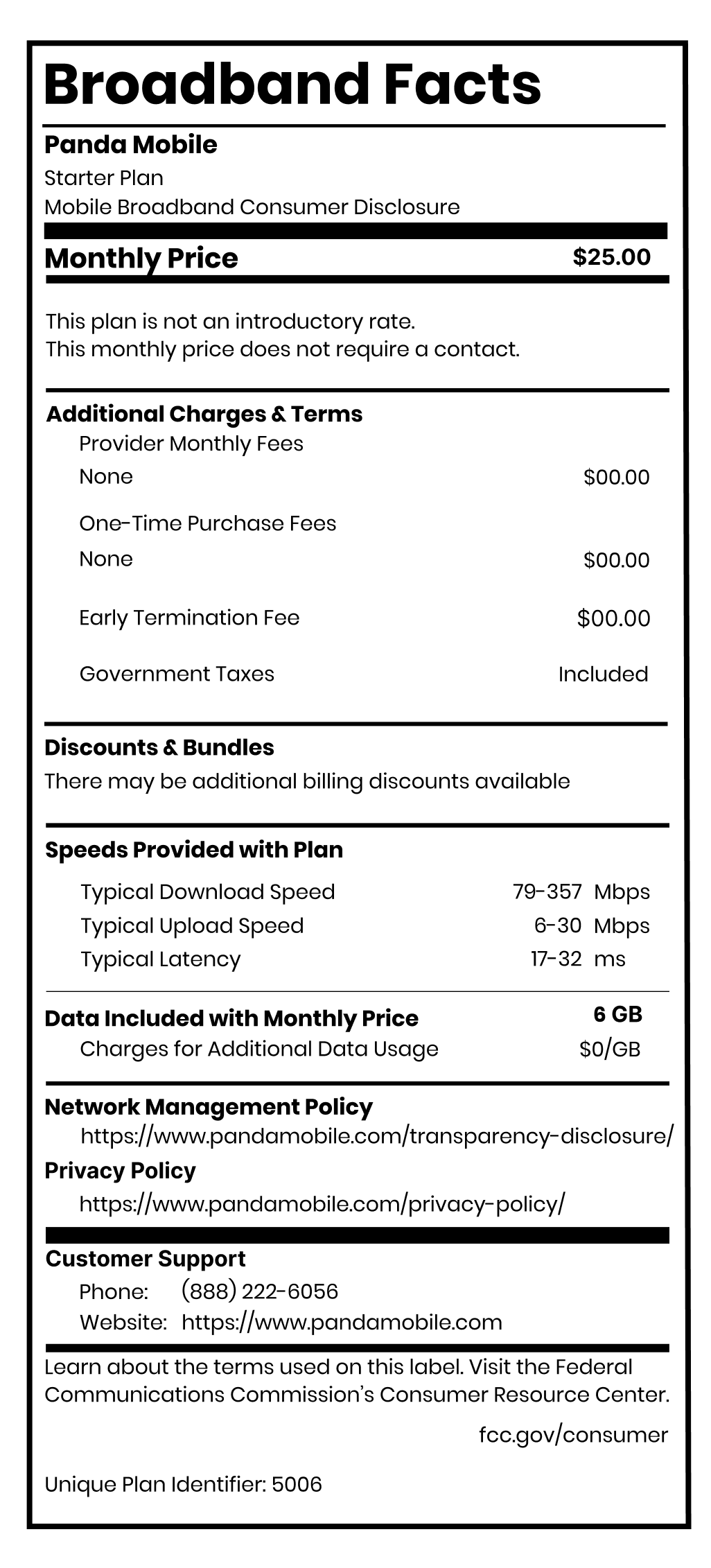
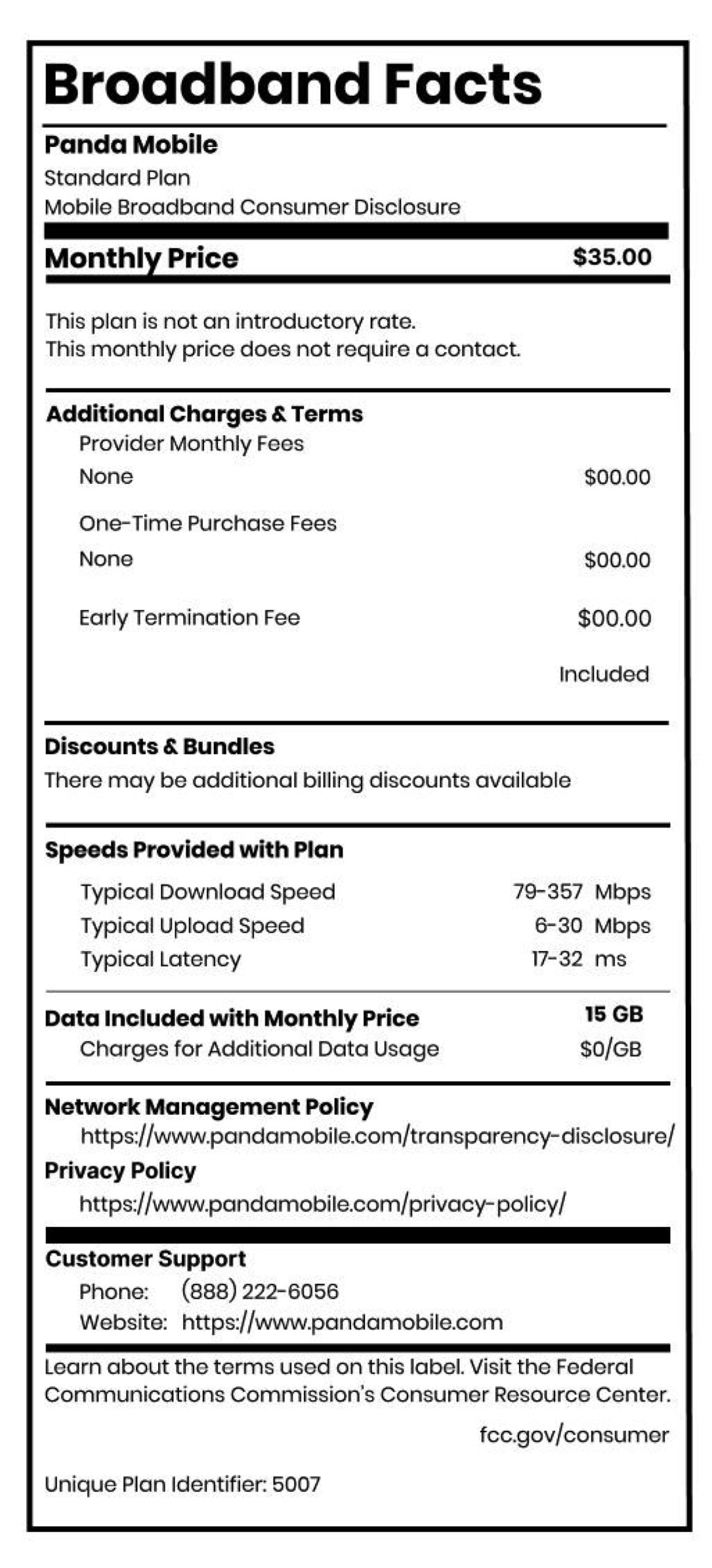
- Choose from $25, $35, or $45 plans based on your real usage
- Free calls & texts to 229 countries (including China), no add-ons needed
- Month-to-month billing so you can switch or downgrade anytime
💡 Pro Tip: Check your data history in your phone’s settings — it’s often much lower than you think.
2️⃣ Track Your Monthly Data Usage
Knowing your usage helps you pick the right plan. Here’s how to check:
On iPhone:
- Go to Settings → Cellular → Mobile Data to view usage per app
On Android:
- Go to Settings → Connections → Data Usage to see your monthly total
If you’re consistently using less than 10GB, you don’t need to pay for unlimited. Panda Mobile gives you flexibility: pay for what you use, and nothing more.
3️⃣ Use Wi-Fi Whenever Possible
The simplest way to lower your bill is also the most obvious: use Wi-Fi.
At home, work, or campus, Wi-Fi keeps you connected without eating into your data plan.
If you’re streaming Netflix or listening to music, download content ahead of time over Wi-Fi so it’s available offline. Most apps like YouTube, Spotify, and Bilibili allow this, saving you gigabytes every month.
4️⃣ Adjust Your App & Phone Settings
Many apps use mobile data even when you’re not looking — updating, refreshing, or autoplaying videos in the background.
Here’s how to control that:
On iPhone:
- Go to Settings → General → Background App Refresh and turn off for apps you don’t need running.
On Android:
- Go to Settings → Data Saver and toggle it on.
This small tweak can cut data usage by 20–30% without changing your habits.
5️⃣ Think Before You Upgrade Your Phone
That new phone may look shiny, but do you really need it right now?
Carriers love bundling “free” phones with contracts — but you end up paying hundreds more over time through monthly installments and upgrade fees.
Instead:
- Keep your current device longer
- Unlock it and switch to a Panda Mobile eSIM
- Enjoy low-cost service with the phone you already love
📲 Panda Mobile supports most unlocked phones — just scan a QR code to activate your plan instantly.
6️⃣ Switch to a Flexible, No-Contract Carrier
You can optimize settings all day, but the biggest savings come from switching to the right carrier.
Panda Mobile gives you:
- Plans starting at $12.50/month (50% off first 2 months)
- No contracts or hidden fees
- Pause service for free when you travel back to China
- Reliable T-Mobile 5G network across the U.S.
- Bilingual WeChat support for setup and billing
You don’t have to sacrifice connection quality for affordability — Panda Mobile delivers both.
The Bottom Line: Small Tweaks, Big Savings
Lowering your phone bill doesn’t mean giving up your favorite apps or constant connectivity. It means being smart about what you actually use — and choosing a carrier that values transparency.
With Panda Mobile, you’ll enjoy:
- Real savings every month
- Free international calling and roaming
- No hidden fees or long-term contracts
- Total flexibility and bilingual support
👉 Switch to Panda Mobile today and start saving — without losing touch with the people who matter most.